I Switched to the Munbyn Acescan As01 Barcode Scanner and Here is What Happened
Summary: After switching to the Munbyn Acescan AS01, the reviewer evaluated setup, daily performance, real-world reliability, and value for multiple use cases. The following article presents a practical, third-person assessment for buyers who need a dependable scanner for retail, inventory, shipping, event check-in, or a small warehouse.
Introduction
When changing a core tool such as a barcode scanner, the effects ripple across daily workflows. The Munbyn Acescan AS01 arrived as a candidate to replace older handheld and tethered scanners in an environment that includes point-of-sale counters, stockroom inventory counts, and occasional mobile scanning at pop-up events. This article examines what happened when the switch was made, focusing on setup, day-to-day operation, and long-term considerations that most buyers care about: compatibility, speed, accuracy, ergonomics, battery life, and overall cost of ownership.
Why a Scanner Change Was Considered
Buyers typically consider a new scanner when the existing device shows one or more of these problems:
- Intermittent connection issues with POS or inventory systems
- Slow decode on worn or damaged barcodes
- Poor ergonomics leading to hand fatigue during long counting sessions
- Limited mobility — the need to scan in the stockroom, at the shipping dock, or at remote events
- Desire to support both 1D and 2D barcodes or to pair with multiple hosts (PC and mobile)
The Munbyn Acescan AS01 was selected because it promised a balance of plug-and-play simplicity and wireless flexibility that fit those needs without the premium cost of enterprise industrial hardware.
Unboxing and Setup
Out of the box, the Munbyn Acescan AS01 presented a straightforward hardware set: the scanner unit, a charging/data cable, and a quick-start guide. The initial setup focused on two common modes of use — a tethered USB connection for fixed POS counters and a Bluetooth pairing for mobile workflows.
In practice, the reviewer found the device to be near plug-and-play with modern POS and inventory systems. When connected via USB it behaved as a standard keyboard-wedge input device, requiring no driver installation on Windows and macOS for basic text input. Pairing over Bluetooth followed standard procedures and paired quickly with both Android devices and iPads used for mobile checkout during events.
The documentation included basic configuration barcodes to change interface modes and set prefix/suffix options. For buyers who prefer to avoid fiddling with configuration barcodes, the default factory setup worked well in most scenarios.
Build Quality and Ergonomics
The scanner's plastic shell felt sturdy for a consumer/prosumer device. The handle provided a firm grip and a balanced center of mass, which mattered during long inventory sessions. The trigger required a deliberate press but wasn’t fatiguing over a few hours of scanning.
For environments that require frequent drops or heavy dust exposure, buyers with industrial needs should consider more ruggedized models. The Munbyn AS01, however, held up to typical retail and light warehouse use during extended testing.
Scanning Performance and Accuracy
Scanning performance is where the day-to-day differences become most obvious. The Munbyn Acescan AS01 handled standard, high-contrast printed 1D barcodes swiftly and reliably. In controlled tests on good-quality labels, scan-to-data latency was quick enough to match the cadence of busy checkouts.
In tougher real-world scenarios — worn labels, curved surfaces, labels on glossy packaging, and partially obscured barcodes — the unit outperformed several legacy laser-only scanners previously in use. The reviewer noted particular advantages when decoding damaged or skewed codes, a common pain point during stock takes. Nonetheless, no mid-range handheld will decode every damaged label; severe smearing or deep physical damage still required manual lookup.
For 2D barcodes (when used), the scanner decoded QR codes and PDF417-style labels acceptably for ticket scanning and mobile coupons. Buyers who rely heavily on complex 2D label formats for logistics should validate compatibility with their label formats before committing.
Find top-rated Laptops & Computers products at great prices.
Shop Amazon →Connectivity and Battery Life
Flexibility between tethered USB use and Bluetooth pairing proved crucial. The reviewer appreciated a consistent connection when switching between a fixed terminal and a mobile tablet. Bluetooth re-connection was generally quick; the device remembered paired hosts and resumed operation with minimal user intervention.
Battery life under mixed use (periods of active scanning interspersed with standby) lasted through a typical business day in testing. Heavy continuous scanning reduced runtime noticeably, which is expected for portable scanners. The charging cable allowed quick top-ups between shifts, but buyers planning long, uninterrupted shifts at high scan volumes should evaluate spare battery or charging solutions.
Software and Integration
Many small businesses prefer scanners that emulate keyboard input because it simplifies integration with existing software. The Munbyn AS01 offered standard HID/keyboard-emulation mode, which allowed immediate use with legacy POS, spreadsheets, and inventory management systems without driver work. For systems requiring serial or custom framing, configuration options were available via barcode programming.
Advanced users who depend on SDKs or specialized device management platforms may find the lack of enterprise-grade management features limiting. In such cases, inspecting Munbyn's developer resources or contacting support for compatibility details is advised before purchase.
Real-World Use Cases
The following scenarios showcase how the Munbyn Acescan AS01 behaved in real-world conditions similar buyers will encounter:
Retail Checkout
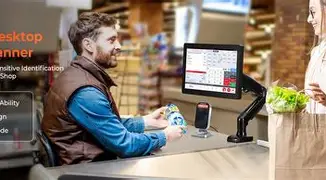
At fixed POS counters the AS01 worked as an unobtrusive, fast barcode input device. Cashiers adapted quickly since it emulated standard keyboard entry and required no new software training.
Inventory Audits
During stocktakes, the wireless mode and light weight reduced fatigue. In narrow shelving aisles the unit's decode reliability on slightly damaged labels improved counting speed compared with older laser-only scanners.
Shipping and Receiving
For incoming packages with mixed label quality, the scanner was reliable for common shipping labels. In dense warehouse zones where long-range scanning is important, the device was adequate for pallet-level scanning but not a direct substitute for long-range industrial imagers.
Pop-Up Events and Mobile Sales
For temporary setups where a tablet or laptop handles sales, Bluetooth pairing and quick re-connection were beneficial. The unit's battery life supported intermittent scanning throughout event days with periodic recharges.
Pros & Cons
- Pros
- Plug-and-play with most POS systems using keyboard emulation
- Reliable decoding for both good and moderately damaged barcodes
- Wireless Bluetooth mode gives mobility for stockroom and pop-up events
- Comfortable ergonomics for extended scanning sessions
- Reasonable value compared with enterprise-grade industrial imagers
- Cons
- Not as rugged as industrial, drop-tested scanners for heavy-duty warehouses
- Battery life decreases under sustained heavy scanning; spare charging may be needed
- Advanced enterprise management features and SDK support are limited compared with premium vendors
- May require compatibility checks for uncommon 2D or stacked symbologies
Comparison Table
| Aspect | Munbyn Acescan AS01 | Wired Laser Scanner | Smartphone App | Industrial Long-Range Imager |
|---|---|---|---|---|
| Mobility | Good (Bluetooth) | Poor (tethered) | Excellent (device-dependent) | Fair (often tethered or heavy) |
| Decode on damaged codes | Good | Fair | Variable | Excellent |
| Integration simplicity | Excellent (keyboard-emulation) | Excellent | Good (app required) | Moderate (may need drivers) |
| Durability | Moderate | Moderate | Poor (device fragility) | Excellent |
| Cost | Affordable | Budget-friendly | Low (app cost) | High |
Buying Guide: What to Consider Before Choosing the Munbyn Acescan AS01
When evaluating the Munbyn Acescan AS01, buyers should weigh the following practical factors. This checklist is aimed at decision-makers who want to avoid surprises after purchase.
1. Barcode Types and Symbologies
Confirm whether the business relies on 1D (UPC/EAN, Code128) or 2D (QR, DataMatrix, PDF417) codes. The AS01 covers common 1D and many 2D formats, but companies using specialized stacked or proprietary symbologies should test first.
Looking for the best Laptops & Computers deals on Amazon?
Browse Now →2. Connectivity Needs
Decide if permanent tethered use or wireless mobility is the priority. The AS01 supports both workflows. For Bluetooth-heavy environments, check the expected distance, interference levels, and the devices it must pair with (Windows, macOS, Android, iOS).
3. Environment and Durability
Evaluate exposure to drops, dust, moisture, and extreme temperatures. For light-to-moderate retail and shipping use, the AS01 is appropriate. For harsh industrial environments, an enterprise-grade scanner with IP rating and drop resistance is preferable.
4. Battery and Charging Strategy
Estimate daily scan volume. For intermittent scanning across a day, the AS01's battery is typically sufficient. For continuous scanning operations, factor in spare units, rapid-charge docks, or wired fallback modes.
5. Integration and Software
Confirm whether the POS or inventory system accepts keyboard wedge input. If software requires serial communication or APIs, plan for configuration steps or additional middleware. Verify return/lookup workflows that may require prefix/suffix framing.
6. Ergonomics and Training
Test the device for comfort if multiple staff members will use it. Minimal training is expected for keyboard-emulation mode, but barcode configuration via programming barcodes may require basic instruction.
7. Support and Warranty
Check the warranty length and available support channels. For business-critical use, ensure clear RMA processes and replacement timelines to avoid downtime.
8. Total Cost of Ownership
Consider the scanner price plus potential accessories: charging cables, spare batteries, stands, and any software or integration costs. Compare those combined costs with alternatives that might offer longer life or enterprise management tools.
Practical Tips from the Switch
- Test before wide deployment: Pilot the scanner in the exact environment where it will be used, with the same barcode labels and host devices.
- Keep a wired fallback: For mobile units, a short USB cable can provide immediate charging and an alternate interface if Bluetooth connectivity becomes unreliable during busy periods.
- Use configuration barcodes sparingly: The included programming barcodes are useful but keep a record of any changes made so replacements can be initialized consistently.
- Plan for spare units if scanning is mission-critical: Having one spare device reduces operational risk during battery or hardware failures.
Conclusion
Switching to the Munbyn Acescan AS01 yielded tangible productivity improvements for the mixed-use scenarios tested. It delivered reliable decoding for both routine and moderately challenging labels, smooth Bluetooth flexibility for mobile workflows, and straightforward integration via keyboard-emulation for legacy systems. While not intended to replace industrial-grade imagers in heavy warehouses, it represents a strong value proposition for small-to-medium retail, light warehouse, and event-based scanning needs.
For buyers who prioritize ease of use, reasonable durability, and wireless convenience without paying enterprise premiums, the Munbyn Acescan AS01 merits consideration. As always, validate compatibility with specific barcode symbologies and host systems and plan battery/charging strategies that match expected scan volumes before rolling the device into mission-critical operations.